
The UK Solar Sales Checklist: Choosing a Screen Sharing Tool That Closes Deals, Not Tabs
Most standard screen sharing tools fail in solar sales because they require downloads, create client friction, and lack sales-specific features. UK solar sales teams need a zero-download, mobile-compatible screen sharing tool with remote control, lead capture, and engagement analytics. CrankWheel is built to meet all of these criteria and is used by over 50,000 sales professionals worldwide. Understanding these technical requirements is essential for teams looking for actionable ways on how to improve solar sales conversion rates.
Screen sharing for solar sales is a video communication method that allows sales representatives to display ROI calculators and proposals to prospects in real time. By using zero-download sales engagement software, representatives can guide homeowners through complex financial data without requiring the prospect to install third-party applications. This frictionless approach is critical in the competitive UK solar market, where the ability to present data clearly on a first call determines whether a lead converts or is lost to a competitor.
Standard video conferencing tools were not designed for the specific needs of a high-stakes sales consultation. They were designed for internal meetings. And when you’re trying to walk a homeowner through a solar ROI calculator while they’re on their mobile phone, in the middle of a workday, the last thing you need is a tool asking them to download software or create an account.
The following checklist helps UK solar sales teams evaluate sales engagement software to determine which tools effectively improve conversion rates.
The primary challenge in solar sales is the functional mismatch between general-purpose meeting software and the specific requirements of a solar sales conversation.
Tools like Zoom and Microsoft Teams were designed for scheduled, synchronous meetings between colleagues. Solar sales calls are different. They’re often unplanned, happen over the phone, and involve clients with varying levels of tech confidence. When a homeowner receives a link and is immediately asked to download an app, create an account, or enable permissions they don’t understand, many of them simply give up.
Standard video conferencing tools often fail in solar sales for the following reasons:
- Mandatory software downloads create prospect drop-off. Every additional step a client must take before seeing your screen is a chance to lose them. Solar prospects don’t sign up for software-they sign up for savings.
- Inadequate mobile compatibility reduces the effectiveness of virtual solar pitches. A large proportion of UK homeowners will view your screen share on a smartphone. Tools that aren’t optimized for mobile viewing result in a frustrating experience that undermines your credibility before you’ve even started your pitch.
- General-purpose tools lack sales-specific features. Generic screen sharing tools don’t offer lead capture forms, engagement monitoring, or remote control-features that are essential for guiding a prospect through a live solar proposal or ROI calculator.
- A lack of CRM integration prevents data synchronization. Without the ability to connect to your existing sales tools, you lose data, miss follow-up triggers, and waste time on manual admin after every call.
The result? More scheduled follow-up calls, more no-shows, and fewer deals closed on the first call.
A Checklist for Evaluating Sales Engagement Software for Solar Consultations
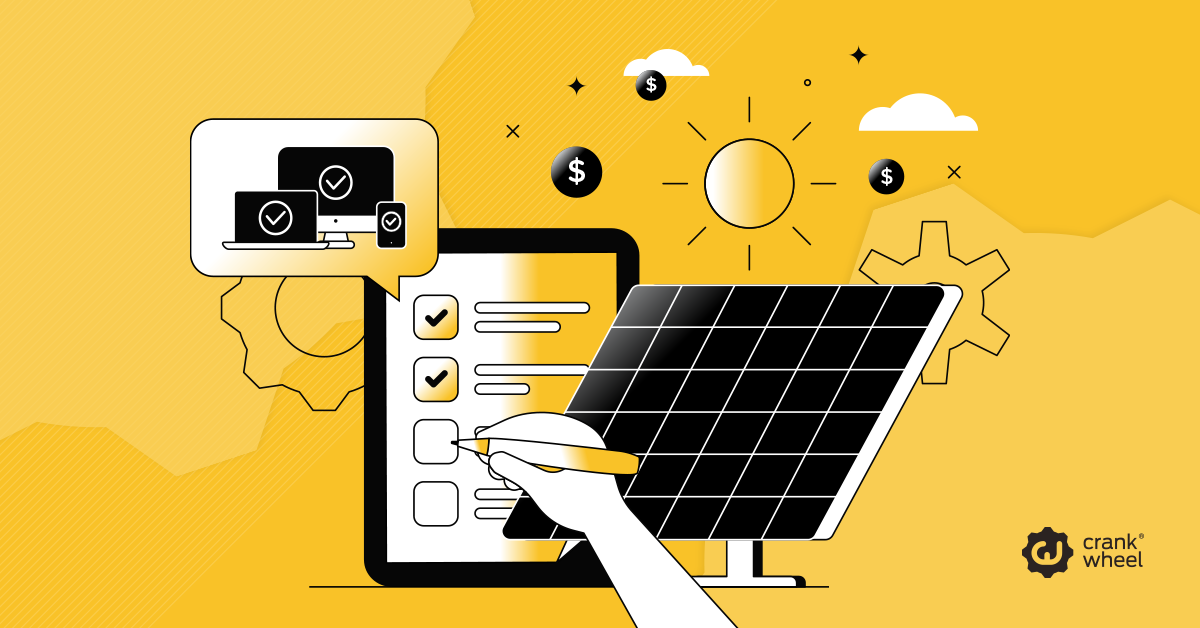
Solar sales managers should use this checklist when evaluating sales engagement software for their teams. The best tool should tick every box.
Access and setup:
- Zero-download access for clients
- No account creation required for the viewer
- Works on any device, including mobile phones and tablets
- Compatible with all major browsers without plugins
Sales functionality:
- Remote control so prospects can interact with your solar ROI calculator directly
- Lead capture forms to collect contact details mid-session
- Engagement monitoring to see when a prospect’s attention drifts
Integration and reporting:
- CRM integration with your existing sales tools
- Analytics dashboard to track session performance
- Screen recording and async video sharing for follow-up
- Custom branding to reinforce a professional, trust-building experience
If a video communication tool fails to meet zero-download access requirements, it is unlikely to be effective for solar sales. Client friction at the entry point is the fastest way to lose a warm lead.
Key Features of Sales-Optimized Video Communication for Solar Teams
Going deeper into the checklist items above, here’s what each feature actually enables in a solar sales context:
How Does Zero-Download Screen Sharing Improve Solar Sales Conversion Rates?
Zero-download screen sharing means a prospect receives a link by text or email, clicks it, and immediately sees your screen-on any device, in any browser. No installation. No account. No delay. This removes the single biggest point of friction in virtual solar consultations. Prospects stay engaged, your presentation begins on time, and the professional experience builds immediate trust.
Why is remote control important for solar ROI presentations?
Remote control allows you to hand the reins to the homeowner at a critical moment in the sales conversation. When a prospect can type their own energy bill into your solar calculator and watch the savings update in real time, the numbers feel personal and credible-not like a pitch. This interactivity transforms a passive listener into an engaged participant, and engaged participants are far more likely to make a decision.
How does lead capture within a screen share session help solar sales teams?
Inbound lead capture lets you collect a prospect’s details while they’re still actively interested-mid-session, not after. When a homeowner is watching their potential savings grow on screen, that’s the moment of peak engagement. Capturing their name, email, and phone number at that point dramatically improves follow-up conversion rates compared to waiting until after the call ends.
What does an engagement analytics dashboard tell solar sales managers?
Engagement monitoring shows you, in real time, whether your prospect is actively watching your screen or has switched to another tab. For sales managers, session analytics provide insight into which parts of a presentation hold attention and which cause drop-off. Over time, this data allows teams to refine their pitch structure, cut the sections that lose people, and double down on what drives conversions.
How CrankWheel Sales Engagement Software Addresses UK Solar Sales Challenges
CrankWheel is a screen sharing tool built specifically for inside sales and phone-based consultations. CrankWheel was designed for the specific needs of UK solar sales teams, focusing on mobile-first homeowners who require a frictionless viewing experience.
Here’s how CrankWheel maps directly onto the checklist above:
Zero friction for the client. CrankWheel requires no download and no account from the viewer. You send a link by text or email, and your prospect sees your screen within seconds-on their smartphone, their tablet, or their laptop.
Engagement monitoring. CrankWheel shows you when a viewer stops looking at your shared screen. Solar sales reps can use this signal to re-engage the prospect before momentum is lost.
CRM and tool integration. CrankWheel integrates with calling tools and existing sales platforms, making it straightforward to embed into your current workflow without overhauling your tech stack.
CrankWheel is rated 4.9/5 on G2, Capterra, GetApp, and SourceForge, and is used by over 50,000 sales professionals globally.
Measurable Outcomes of Using Sales-Optimized Screen Sharing in Solar Sales
The results reported by CrankWheel users consistently point to the same outcomes: faster trust-building, higher close rates, and less time lost to technical friction.
Sales professionals across industries describe the impact:
“The interface makes it incredibly easy for both me and the person on the phone to sync up. Since they can follow along on my screen and visually confirm the finer details of the policy, any skepticism fades right away. That makes it easier to close deals more smoothly and, in turn, directly boosts my closed volume.” - Noble H., G2 Review
“I can simply forward a link, and my screen appears instantly inside their existing browser window. It completely replaces the annoying back-and-forth of sending static screenshots or trying to explain layout details over a basic voice call.” - Rocco R., G2 Review
“The absolute highlight is the zero-friction entry for the person on the other end. I can launch a live presentation mid-conversation, and my clients are in instantly without downloading a single file or setting up an account.” - Earnest H., G2 Review
For solar sales teams specifically, the benefits mirror the same pattern: when homeowners can see and interact with their own numbers live, confusion drops and confidence rises. Deals that previously required two or three follow-up calls begin closing on the first.
[Note: UK solar-specific conversion metrics and case study data to be supplied by the CrankWheel team and inserted here prior to publication.]
How to Implement Frictionless Screen Sharing for Solar Sales
The right screen sharing tool for UK solar sales isn’t the most feature-rich one on the market. It’s the one your prospects can access in seconds, on any device, without technical barriers-and the one that gives you the sales-specific tools to guide, engage, and convert.
CrankWheel meets every item on the checklist above. It’s free to start, requires no credit card, and takes minutes to set up for your whole team.
Start your free CrankWheel trial and see how a frictionless, guided screen share can change the way your solar sales team closes deals.
Frequently Asked Questions
Why must solar sales screen sharing tools support mobile devices?
A large proportion of UK homeowners will view a shared screen on their smartphone. A screen sharing tool that isn’t optimized for mobile will display poorly and undermine the professionalism of the presentation. CrankWheel is designed to work on any device, in any browser, without requiring a download.
Can a prospect interact with a solar ROI calculator during a screen share?
Yes, if the screen sharing tool supports remote control. CrankWheel’s remote control feature allows the prospect to type directly into fields on the shared screen-such as their energy bill or preferred financing term-and see their savings update in real time. This interactivity significantly increases trust and engagement.
What is the biggest mistake solar sales teams make with screen sharing tools?
The most common mistake is using a generic conferencing tool that requires the client to download software or create an account before joining. This creates friction at the most critical moment of the sales call. Zero-download access is the single most important criterion when learning how to improve solar sales conversion rates.
How does CrankWheel differ from Zoom or Teams for solar sales calls?
Zoom and Microsoft Teams are designed for scheduled internal meetings. CrankWheel is designed for instant, unplanned screen shares during live phone calls with clients. CrankWheel requires no download for the viewer, works on any device, and includes sales-specific features such as remote control, lead capture, and engagement monitoring that Zoom and Teams do not offer.